


Banking
What is Mobile Banking? Features and Advantages

Naina Rajgopalan
Published on:
Last Updated:
Jun 9, 2026
Banking
What is Mobile Banking? Features and Advantages
Naina Rajgopalan
Published on:
Last Updated:
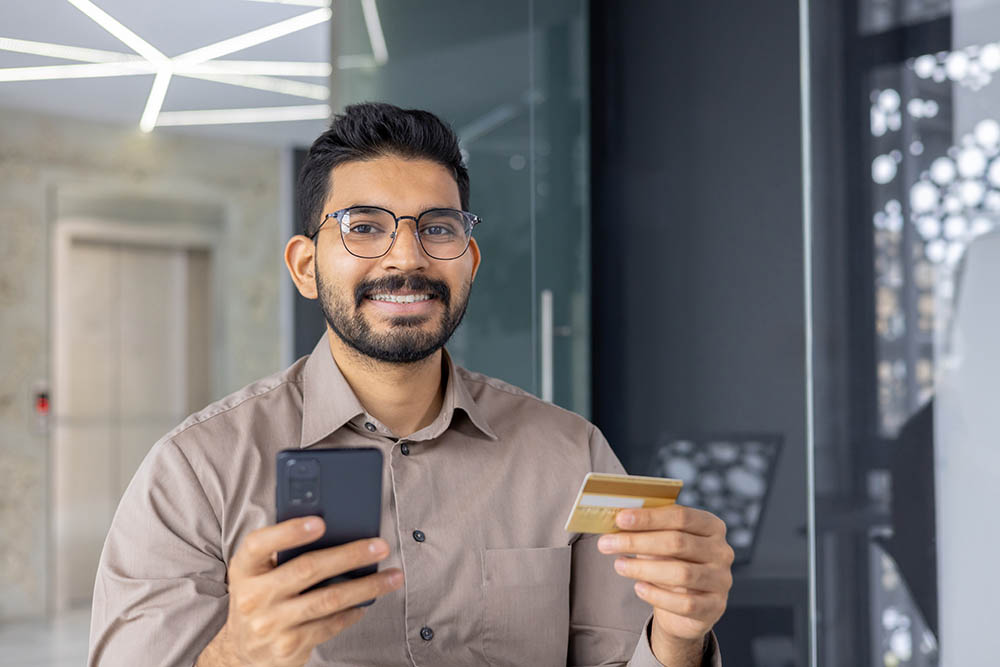
Mobile banking is a service that allows bank customers to access their accounts, check balances, and complete transactions using a smartphone or tablet.
Mobile banking apps make managing your finances easy and convenient. You can transfer money, pay bills, and monitor your account anytime, often without extra charges. However, users may occasionally face connectivity issues or need to follow security steps to keep their accounts safe.
In this guide, we’ll explain how to set up a mobile banking app, explore its key features, and cover important security tips to help you bank safely on the go.
What is Mobile Banking?
Mobile banking is a service that allows you to manage your bank account, make transactions, and access financial services using a smartphone or tablet. Most banks offer mobile banking apps with features such as:
Checking account balances
Viewing bank statements
Making transfers between accounts
Paying bills (may require additional setup)
Purchasing mobile top-ups
Some banks also allow you to:
Apply for credit cards or fixed deposits
Open a Demat account for investing directly from the app
Mobile Banking Features & Services
Accessibility
With mobile banking, customers can access their accounts anytime, anywhere. They can log in to the app and check their account balances whenever they need to. Plus, they can even transfer funds between accounts, even on holidays.
Security
Banks understand the importance of keeping your information safe when you use their mobile app. To make sure your transactions are secure, they may ask for a combination of things like SMS verification, location access, fingerprint scanning, or a PIN to log in.
Transferability
Moving money between your accounts is a basic function of mobile banking. All transfers within the app are now secured with two-step verification, which usually involves both your app password and a one-time code sent to your phone. This two-step process helps keep your money safe when you transfer funds, pay bills, or shop online.
Investment Management
Several banks allow you to trade securities directly through their mobile app. This makes investing more convenient and eliminates the need for a separate trading platform. Additionally, mobile banking lets you easily track your investments, such as deposits and stocks, from the comfort of your home.
Digital Payments
Most mobile banking apps today come equipped with a QR code reader, allowing for quick and easy payments at participating merchants. Simply scan the merchant's QR code at checkout, and the payment will be processed using your account details linked to the app.
Customer Service
Mobile banking offers various ways to get personalised customer support, including live chat, phone calls, and push notifications. This lets you access help without needing to visit a physical branch.
Navigating Your Mobile Banking App
After logging in, most mobile banking apps offer a quick tour of the dashboard to familiarise you with the layout. This typically highlights features like viewing your account balance, checking recent statements, and accessing debit card details.
But don't worry if you miss the tour! You can easily explore the app's features by browsing the tabs on the dashboard or using the search bar if you're looking for something specific.
How to Transfer Funds Using Mobile Banking
Here are three ways you can transfer funds using your bank's mobile app:
NEFT (National Electronic Funds Transfer): This option is suitable for everyday transfers and typically takes up to 30 minutes for the funds to arrive.
RTGS (Real-Time Gross Settlement): Use this option for larger transfers exceeding Rs. 2 lakhs. Funds are transferred immediately.
IMPS (Immediate Payment Service): This is a good choice for urgent transfers up to Rs. 5 lakhs. Funds are credited instantly.
Discover the convenience of managing your finances with Freo’s banking solutions. Start your journey to smarter banking today.
Advantages of Mobile Banking Services
Mobile banking benefits both banks and customers by cutting costs, improving accessibility, and strengthening security. Here is a detailed breakdown:
For Banks
Reduced Costs
Mobile banking eliminates the need for extensive physical branch networks, significantly lowering infrastructure and day-to-day operational expenses.
Efficient Staffing
Banks can centralise their experts in one location and serve customers across multiple regions without needing on-ground staff everywhere.
Streamlined Processes
Real-time document sharing and digital workflows make transactions faster, reducing paperwork and human error.
For Account Holders
Enhanced Security
Advanced features like biometric authentication including fingerprint scanning and facial recognition add powerful layers of protection beyond traditional passwords.
Increased Accessibility
Users can manage their finances 24/7 from anywhere, making it especially valuable for people in rural or remote areas with limited access to physical banks.
Disadvantages of Mobile Banking Services
Despite its benefits, mobile banking comes with certain risks and limitations that users should be aware of. These can be grouped into security risks and technical limitations.
Security Risks
Increased Risk of Phishing Scams
Cybercriminals use fake messages, emails, or websites to trick users into revealing sensitive banking credentials, making awareness and caution essential.
Device Dependency and Theft Risk
If your phone is lost, stolen, or compromised, any sensitive data stored on it could fall into the wrong hands, posing serious security threats.
Technical Limitations
App Bugs and Glitches
Mobile banking apps can experience technical issues, unexpected crashes, or connectivity problems that may disrupt transactions at critical moments.
Internet Dependency
Without a stable internet connection, access to mobile banking services can be completely cut off, leaving users unable to manage their finances.
Discover the convenience of managing your finances with Freo’s banking solutions. Start your journey to smarter banking today.
Manage Your Finances Anytime With Mobile Banking
Mobile banking gives you secure and instant access to transfers, bill payments, account tracking, and digital payments right from your smartphone.

Frequently Asked Questions
Is mobile banking safe?
Mobile banking has become quite secure. Banks typically use a combination of methods to protect your information, including fingerprint scanners, secure passwords, and one-time verification codes (OTPs). You can also add extra layers of security by using antivirus software and a VPN while using your mobile banking app.
What's the difference between mobile banking and regular net banking?
The main difference is in how you access them. Mobile banking uses your phone (through an app, SMS, or USSD) and can even work without an internet connection for some features. Regular online banking, also called net banking, requires a computer and internet access to log in through a bank's website.
Does using mobile banking cost anything?
In most cases, no. Many banks offer mobile banking as a free service to their account holders. It's always a good idea to check with your bank directly about any potential fees associated with mobile banking.
What Should I Do If I Lose My Phone?
If you lose your phone, act quickly to protect your mobile banking account. Immediately contact your bank to freeze or block access to your mobile banking account. Then change your passwords from another device and report the loss to your mobile carrier to suspend your SIM. If your phone supports it, use a remote wipe feature to erase all sensitive data stored on the device.
Does Mobile Banking Work Without Internet?
Some mobile banking features can work without an internet connection. Basic services like checking your account balance, receiving transaction alerts, or transferring funds can be done through SMS banking or USSD codes, which only require a mobile network signal. However, for full access to your banking app and all its features, a stable internet connection is required.
Naina Rajgopalan
Naina Rajgopalan has a thing for numbers and a deep fascination to learn about all things finance. She's been money-wise from a young age and has always shared her knowledge and tips with those around her. Being a part of the content team at Freo, a neobank that offers flexible and customised financial products, along with benefits such as insurance on balance, safe & secure banking, and so on, Naina stays updated with the latest of what happens in the banking and fintech industries. She has taken upon herself to share her knowledge with readers across all walks of life to help them manage their finances and budgets better, so they can make better decisions while spending, borrowing, investing and saving.
Banking
What is Mobile Banking? Features and Advantages
Naina Rajgopalan
Published on:
Last Updated:
Mobile banking is a service that allows bank customers to access their accounts, check balances, and complete transactions using a smartphone or tablet.
Mobile banking apps make managing your finances easy and convenient. You can transfer money, pay bills, and monitor your account anytime, often without extra charges. However, users may occasionally face connectivity issues or need to follow security steps to keep their accounts safe.
In this guide, we’ll explain how to set up a mobile banking app, explore its key features, and cover important security tips to help you bank safely on the go.
What is Mobile Banking?
Mobile banking is a service that allows you to manage your bank account, make transactions, and access financial services using a smartphone or tablet. Most banks offer mobile banking apps with features such as:
Checking account balances
Viewing bank statements
Making transfers between accounts
Paying bills (may require additional setup)
Purchasing mobile top-ups
Some banks also allow you to:
Apply for credit cards or fixed deposits
Open a Demat account for investing directly from the app
Mobile Banking Features & Services
Accessibility
With mobile banking, customers can access their accounts anytime, anywhere. They can log in to the app and check their account balances whenever they need to. Plus, they can even transfer funds between accounts, even on holidays.
Security
Banks understand the importance of keeping your information safe when you use their mobile app. To make sure your transactions are secure, they may ask for a combination of things like SMS verification, location access, fingerprint scanning, or a PIN to log in.
Transferability
Moving money between your accounts is a basic function of mobile banking. All transfers within the app are now secured with two-step verification, which usually involves both your app password and a one-time code sent to your phone. This two-step process helps keep your money safe when you transfer funds, pay bills, or shop online.
Investment Management
Several banks allow you to trade securities directly through their mobile app. This makes investing more convenient and eliminates the need for a separate trading platform. Additionally, mobile banking lets you easily track your investments, such as deposits and stocks, from the comfort of your home.
Digital Payments
Most mobile banking apps today come equipped with a QR code reader, allowing for quick and easy payments at participating merchants. Simply scan the merchant's QR code at checkout, and the payment will be processed using your account details linked to the app.
Customer Service
Mobile banking offers various ways to get personalised customer support, including live chat, phone calls, and push notifications. This lets you access help without needing to visit a physical branch.
Navigating Your Mobile Banking App
After logging in, most mobile banking apps offer a quick tour of the dashboard to familiarise you with the layout. This typically highlights features like viewing your account balance, checking recent statements, and accessing debit card details.
But don't worry if you miss the tour! You can easily explore the app's features by browsing the tabs on the dashboard or using the search bar if you're looking for something specific.
How to Transfer Funds Using Mobile Banking
Here are three ways you can transfer funds using your bank's mobile app:
NEFT (National Electronic Funds Transfer): This option is suitable for everyday transfers and typically takes up to 30 minutes for the funds to arrive.
RTGS (Real-Time Gross Settlement): Use this option for larger transfers exceeding Rs. 2 lakhs. Funds are transferred immediately.
IMPS (Immediate Payment Service): This is a good choice for urgent transfers up to Rs. 5 lakhs. Funds are credited instantly.
Discover the convenience of managing your finances with Freo’s banking solutions. Start your journey to smarter banking today.
Advantages of Mobile Banking Services
Mobile banking benefits both banks and customers by cutting costs, improving accessibility, and strengthening security. Here is a detailed breakdown:
For Banks
Reduced Costs
Mobile banking eliminates the need for extensive physical branch networks, significantly lowering infrastructure and day-to-day operational expenses.
Efficient Staffing
Banks can centralise their experts in one location and serve customers across multiple regions without needing on-ground staff everywhere.
Streamlined Processes
Real-time document sharing and digital workflows make transactions faster, reducing paperwork and human error.
For Account Holders
Enhanced Security
Advanced features like biometric authentication including fingerprint scanning and facial recognition add powerful layers of protection beyond traditional passwords.
Increased Accessibility
Users can manage their finances 24/7 from anywhere, making it especially valuable for people in rural or remote areas with limited access to physical banks.
Disadvantages of Mobile Banking Services
Despite its benefits, mobile banking comes with certain risks and limitations that users should be aware of. These can be grouped into security risks and technical limitations.
Security Risks
Increased Risk of Phishing Scams
Cybercriminals use fake messages, emails, or websites to trick users into revealing sensitive banking credentials, making awareness and caution essential.
Device Dependency and Theft Risk
If your phone is lost, stolen, or compromised, any sensitive data stored on it could fall into the wrong hands, posing serious security threats.
Technical Limitations
App Bugs and Glitches
Mobile banking apps can experience technical issues, unexpected crashes, or connectivity problems that may disrupt transactions at critical moments.
Internet Dependency
Without a stable internet connection, access to mobile banking services can be completely cut off, leaving users unable to manage their finances.
Discover the convenience of managing your finances with Freo’s banking solutions. Start your journey to smarter banking today.
Manage Your Finances Anytime With Mobile Banking
Mobile banking gives you secure and instant access to transfers, bill payments, account tracking, and digital payments right from your smartphone.
Naina Rajgopalan
Naina Rajgopalan has a thing for numbers and a deep fascination to learn about all things finance. She's been money-wise from a young age and has always shared her knowledge and tips with those around her. Being a part of the content team at Freo, a neobank that offers flexible and customised financial products, along with benefits such as insurance on balance, safe & secure banking, and so on, Naina stays updated with the latest of what happens in the banking and fintech industries. She has taken upon herself to share her knowledge with readers across all walks of life to help them manage their finances and budgets better, so they can make better decisions while spending, borrowing, investing and saving.
Know More About Finance

Invest
9 Best Investment Options in India In 2026
Naina Rajgopalan

Invest
What Is a Recurring Deposit? Meaning, Benefits & How It Works
Naina Rajgopalan
Table of Contents
Mobile banking is a service that allows bank customers to access their accounts, check balances, and complete transactions using a smartphone or tablet.
Mobile banking apps make managing your finances easy and convenient. You can transfer money, pay bills, and monitor your account anytime, often without extra charges. However, users may occasionally face connectivity issues or need to follow security steps to keep their accounts safe.
In this guide, we’ll explain how to set up a mobile banking app, explore its key features, and cover important security tips to help you bank safely on the go.
What is Mobile Banking?
Mobile banking is a service that allows you to manage your bank account, make transactions, and access financial services using a smartphone or tablet. Most banks offer mobile banking apps with features such as:
Checking account balances
Viewing bank statements
Making transfers between accounts
Paying bills (may require additional setup)
Purchasing mobile top-ups
Some banks also allow you to:
Apply for credit cards or fixed deposits
Open a Demat account for investing directly from the app
Mobile Banking Features & Services
Accessibility
With mobile banking, customers can access their accounts anytime, anywhere. They can log in to the app and check their account balances whenever they need to. Plus, they can even transfer funds between accounts, even on holidays.
Security
Banks understand the importance of keeping your information safe when you use their mobile app. To make sure your transactions are secure, they may ask for a combination of things like SMS verification, location access, fingerprint scanning, or a PIN to log in.
Transferability
Moving money between your accounts is a basic function of mobile banking. All transfers within the app are now secured with two-step verification, which usually involves both your app password and a one-time code sent to your phone. This two-step process helps keep your money safe when you transfer funds, pay bills, or shop online.
Investment Management
Several banks allow you to trade securities directly through their mobile app. This makes investing more convenient and eliminates the need for a separate trading platform. Additionally, mobile banking lets you easily track your investments, such as deposits and stocks, from the comfort of your home.
Digital Payments
Most mobile banking apps today come equipped with a QR code reader, allowing for quick and easy payments at participating merchants. Simply scan the merchant's QR code at checkout, and the payment will be processed using your account details linked to the app.
Customer Service
Mobile banking offers various ways to get personalised customer support, including live chat, phone calls, and push notifications. This lets you access help without needing to visit a physical branch.
Navigating Your Mobile Banking App
After logging in, most mobile banking apps offer a quick tour of the dashboard to familiarise you with the layout. This typically highlights features like viewing your account balance, checking recent statements, and accessing debit card details.
But don't worry if you miss the tour! You can easily explore the app's features by browsing the tabs on the dashboard or using the search bar if you're looking for something specific.
How to Transfer Funds Using Mobile Banking
Here are three ways you can transfer funds using your bank's mobile app:
NEFT (National Electronic Funds Transfer): This option is suitable for everyday transfers and typically takes up to 30 minutes for the funds to arrive.
RTGS (Real-Time Gross Settlement): Use this option for larger transfers exceeding Rs. 2 lakhs. Funds are transferred immediately.
IMPS (Immediate Payment Service): This is a good choice for urgent transfers up to Rs. 5 lakhs. Funds are credited instantly.
Discover the convenience of managing your finances with Freo’s banking solutions. Start your journey to smarter banking today.
Advantages of Mobile Banking Services
Mobile banking benefits both banks and customers by cutting costs, improving accessibility, and strengthening security. Here is a detailed breakdown:
For Banks
Reduced Costs
Mobile banking eliminates the need for extensive physical branch networks, significantly lowering infrastructure and day-to-day operational expenses.
Efficient Staffing
Banks can centralise their experts in one location and serve customers across multiple regions without needing on-ground staff everywhere.
Streamlined Processes
Real-time document sharing and digital workflows make transactions faster, reducing paperwork and human error.
For Account Holders
Enhanced Security
Advanced features like biometric authentication including fingerprint scanning and facial recognition add powerful layers of protection beyond traditional passwords.
Increased Accessibility
Users can manage their finances 24/7 from anywhere, making it especially valuable for people in rural or remote areas with limited access to physical banks.
Disadvantages of Mobile Banking Services
Despite its benefits, mobile banking comes with certain risks and limitations that users should be aware of. These can be grouped into security risks and technical limitations.
Security Risks
Increased Risk of Phishing Scams
Cybercriminals use fake messages, emails, or websites to trick users into revealing sensitive banking credentials, making awareness and caution essential.
Device Dependency and Theft Risk
If your phone is lost, stolen, or compromised, any sensitive data stored on it could fall into the wrong hands, posing serious security threats.
Technical Limitations
App Bugs and Glitches
Mobile banking apps can experience technical issues, unexpected crashes, or connectivity problems that may disrupt transactions at critical moments.
Internet Dependency
Without a stable internet connection, access to mobile banking services can be completely cut off, leaving users unable to manage their finances.
Discover the convenience of managing your finances with Freo’s banking solutions. Start your journey to smarter banking today.
Manage Your Finances Anytime With Mobile Banking
Mobile banking gives you secure and instant access to transfers, bill payments, account tracking, and digital payments right from your smartphone.
Frequently Asked Questions
Is mobile banking safe?
Mobile banking has become quite secure. Banks typically use a combination of methods to protect your information, including fingerprint scanners, secure passwords, and one-time verification codes (OTPs). You can also add extra layers of security by using antivirus software and a VPN while using your mobile banking app.
What's the difference between mobile banking and regular net banking?
The main difference is in how you access them. Mobile banking uses your phone (through an app, SMS, or USSD) and can even work without an internet connection for some features. Regular online banking, also called net banking, requires a computer and internet access to log in through a bank's website.
Does using mobile banking cost anything?
In most cases, no. Many banks offer mobile banking as a free service to their account holders. It's always a good idea to check with your bank directly about any potential fees associated with mobile banking.
What Should I Do If I Lose My Phone?
If you lose your phone, act quickly to protect your mobile banking account. Immediately contact your bank to freeze or block access to your mobile banking account. Then change your passwords from another device and report the loss to your mobile carrier to suspend your SIM. If your phone supports it, use a remote wipe feature to erase all sensitive data stored on the device.
Does Mobile Banking Work Without Internet?
Some mobile banking features can work without an internet connection. Basic services like checking your account balance, receiving transaction alerts, or transferring funds can be done through SMS banking or USSD codes, which only require a mobile network signal. However, for full access to your banking app and all its features, a stable internet connection is required.
Naina Rajgopalan
Naina Rajgopalan has a thing for numbers and a deep fascination to learn about all things finance. She's been money-wise from a young age and has always shared her knowledge and tips with those around her. Being a part of the content team at Freo, a neobank that offers flexible and customised financial products, along with benefits such as insurance on balance, safe & secure banking, and so on, Naina stays updated with the latest of what happens in the banking and fintech industries. She has taken upon herself to share her knowledge with readers across all walks of life to help them manage their finances and budgets better, so they can make better decisions while spending, borrowing, investing and saving.
Know More About Finance

Make the Move
What are you waiting for?
Our Products
Quick Links
MWYN Tech Private Limited
CIN: U72200KA2015PTC083534
Address: G-405,4th Floor - Gamma Block, Sigma Soft Tech Park Varthur, Kodi Whitefield Post, Bangalore - 560066
Copyright © 2026 MWYN Tech Pvt Ltd. All rights reserved.
Make the Move
What are you waiting for?



Our Products
Quick Links
Calculators
MWYN Tech Private Limited
CIN: U72200KA2015PTC083534
Address: G-405,4th Floor - Gamma Block, Sigma Soft Tech Park Varthur, Kodi Whitefield Post, Bangalore - 560066
Copyright © 2026 MWYN Tech Pvt Ltd. All rights reserved.
Make the Move
What are you waiting for?
Our Products
Quick Links
MWYN Tech Private Limited
CIN: U72200KA2015PTC083534
Address: G-405,4th Floor - Gamma Block, Sigma Soft Tech Park Varthur, Kodi Whitefield Post, Bangalore - 560066
Copyright © 2026 MWYN Tech Pvt Ltd. All rights reserved.