



UPI

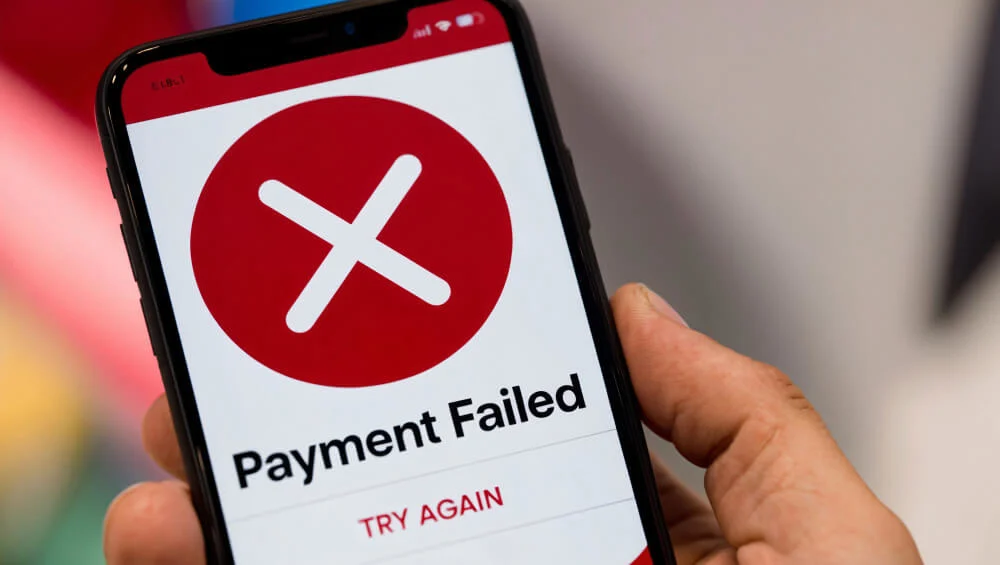
UPI payments usually take just a few seconds to complete, which is why a failed transaction can be frustrating. In most cases, UPI payments fail because of internet issues, bank server problems, incorrect details, transaction limits, or account-related restrictions. The good news is that most failures are temporary and can often be resolved with a few simple checks.
What Are the Most Common Reasons Why UPI Payments Fail?
UPI has made sending and receiving money easier than ever. Whether you're paying a shopkeeper, splitting a bill with friends, or transferring money to family, the process is usually smooth.
Still, failed transactions happen more often than many people realise.
Here’s a closer look at some of the most common reasons behind them.
Poor Internet Connection
One of the biggest reasons for failed UPI payments is an unstable internet connection.
Even though UPI transactions happen quickly, they still require your phone to communicate with your bank and the payment network in real time. If your mobile data is weak or your WiFi connection keeps dropping, the transaction may not go through successfully.
Sometimes the payment remains pending. In other cases, it fails immediately.
If your internet signal looks weak, it is worth switching networks and trying again.Bank Server Downtime
Sometimes the issue has nothing to do with your phone.
Banks regularly perform maintenance work on their systems. During these periods, UPI services may be temporarily unavailable. High transaction volumes can also put pressure on bank servers, especially during festivals, sale events, or peak payment hours.
When a bank server is down, transactions may fail even if your internet connection is working perfectly.
In many cases, waiting a few minutes and trying again solves the problem.Incorrect UPI PIN
Your UPI PIN acts as a security layer for every transaction.
If you enter the wrong PIN, the payment will not be authorised. Entering an incorrect PIN multiple times may even result in temporary restrictions for security reasons.
This can happen more often than people think, especially when users recently changed their PIN or manage multiple bank accounts with different credentials.
Before retrying the payment, make sure you are entering the correct PIN linked to that particular account.Reaching Daily UPI Transaction Limits
UPI platforms and banks have daily transaction limits.
Once you reach the permitted number of transactions or the maximum daily transfer amount, additional payments may fail automatically.
Many users are unaware of these limits until they suddenly encounter an error message.
The exact limits can vary depending on the bank and payment app, but exceeding them is a common reason for failed transactions, especially for people who make multiple payments throughout the day.Incorrect UPI ID or Bank Details
A simple typing mistake can cause a payment to fail.
Entering the wrong UPI ID, selecting the wrong account, or providing incorrect recipient details can prevent the transaction from being processed.
Sometimes the payment app may detect the error immediately. Other times, the transaction may fail during verification.
Taking a few extra seconds to double-check the recipient information can save a lot of trouble later.Bank Account Frozen or Blocked
In some situations, the linked bank account itself may be the issue.
Banks can temporarily freeze or restrict accounts for various reasons. These may include incomplete KYC requirements, suspicious activity alerts, account verification issues, or regulatory checks.
When this happens, UPI transactions linked to that account may stop working until the issue is resolved.
If you suspect this is the case, contacting your bank directly is usually the fastest way to find out what happened.
How Can You Fix Failed UPI Payments?
The solution often depends on what caused the failure in the first place.
Here are some practical steps that can help.
Check Internet Connectivity
Start with the simplest possibility.
Make sure your mobile data or WiFi connection is stable. Open a few websites or apps to confirm that your internet is working properly.
If necessary, switch between WiFi and mobile data before retrying the payment.Verify Bank Balance
A payment can fail if there are insufficient funds in your account.
Before trying again, check your account balance and make sure enough money is available to cover the transaction amount.
Sometimes users forget about previous deductions or pending transactions that reduce the available balance.Confirm UPI PIN and Recipient Details
Carefully review the information before sending money again.
Check that the UPI ID belongs to the intended recipient and ensure that you are entering the correct UPI PIN.
Even a small mistake can prevent the transaction from completing.Update the UPI App
Using an outdated version of your payment app can sometimes create technical issues.
App updates often include bug fixes, security improvements, and performance enhancements.
If your app has not been updated recently, installing the latest version may help resolve the problem.Retry After Some Time During Server Downtime
If bank servers are facing temporary issues, repeated attempts usually will not help.
Instead, wait for a short period and try again later.
Most server-related disruptions are resolved within a few minutes or hours.Contact Bank or UPI App Support
When the issue continues despite multiple attempts, it may be time to seek assistance.
Most UPI apps provide customer support options within the app itself. Your bank's customer service team can also check whether there are account-specific issues affecting transactions.
Having the transaction ID ready can help speed up the process.Re-link Your Bank Account if Necessary
Occasionally, account linking issues can interfere with UPI services.
Removing the bank account from the app and linking it again may refresh the connection and resolve certain technical problems.
This step is particularly useful if you recently changed devices, updated your mobile number, or modified account information.
How Long Does It Take to Get a Refund for Failed UPI Payments?
One of the most common concerns after a failed payment is seeing money deducted from the account.
In many situations, the amount is automatically reversed. If it doesn’t here’s what you should keep in mind:
Typical Refund Timelines
Most failed UPI transactions are refunded within a few hours. However, some reversals can take up to 3 to 5 working days, depending on the bank and the nature of the issue.
The exact timeline can vary from one institution to another.
NPCI Guidelines for Reversals
NPCI and RBI guidelines handle failed UPI payments differently depending on the reason for the issue. If a transaction fails due to a technical problem, such as a server error or double debit, the amount is usually refunded automatically. Person-to-person transfers are generally reversed within one working day, while merchant payments can take up to five working days. Banks may also have to compensate customers for delays beyond the prescribed timelines.
However, if money is sent to the wrong UPI ID, there is no automatic reversal option. Since UPI payments are processed instantly after PIN authorisation, the funds can only be recovered if the recipient agrees to return them. In such cases, you should immediately contact your bank or UPI app provider and raise a dispute using the transaction's UTR number.
What to Do if Refunds Are Delayed
If the refund does not arrive within the expected timeframe, start by checking the transaction status in your UPI app.
If the issue remains unresolved, raise a complaint through the payment app or contact your bank's customer support team.
Keep screenshots, transaction IDs, and payment details handy, as they can help speed up the investigation process.
Closing Thoughts
Most UPI payment failures happen because of temporary issues such as weak internet connections, bank server downtime, incorrect details, or transaction limits. While they can be inconvenient, they are usually easy to identify and fix. Understanding the common causes can help you avoid unnecessary stress and make your digital payments smoother in the future.
Avoid UPI Payment Failures With Smarter Digital Banking
Understanding common UPI payment issues, transaction limits, refund timelines, and troubleshooting steps can help you complete payments smoothly and resolve failed transactions faster.

FAQs
Why did my UPI payment fail but money was deducted?
This usually happens when the amount is debited from your account, but the transaction is not successfully completed. In most cases, the money is automatically refunded within a few hours or working days, depending on your bank.
What should I do if my UPI transaction is pending?
Wait for the transaction status to update before attempting another payment. If it remains pending for an unusually long time, check with your UPI app or bank support team for clarification.
What is the daily UPI transaction limit?
The daily UPI transaction limit varies by bank and payment app. Many banks allow transactions up to ₹1 lakh per day, although certain categories and institutions may have different limits.
How can I avoid failed UPI transactions?
You can reduce the chances of failure by maintaining a stable internet connection, verifying recipient details carefully, ensuring sufficient account balance, using the correct UPI PIN, and keeping your payment app updated.
Naina Rajgopalan
Naina Rajgopalan has a thing for numbers and a deep fascination to learn about all things finance. She's been money-wise from a young age and has always shared her knowledge and tips with those around her. Being a part of the content team at Freo, a neobank that offers flexible and customised financial products, along with benefits such as insurance on balance, safe & secure banking, and so on, Naina stays updated with the latest of what happens in the banking and fintech industries. She has taken upon herself to share her knowledge with readers across all walks of life to help them manage their finances and budgets better, so they can make better decisions while spending, borrowing, investing and saving.